
1.9 KiB
1.9 KiB
Section 03 - Lesson 09, 10 | Export annotation, Moving the Paddle
Notes
Export Annotation
annotation allows you to add property to the inspector on a node
format
@export var VARIABLE_NAME: TYPE = VALUEthis allows you to reference the property directly within the script attached to the node
Setting up an Input System
add inputs
- Menu->Project->Project Settings-> [Input Map]
-
click on "show built-in actions"
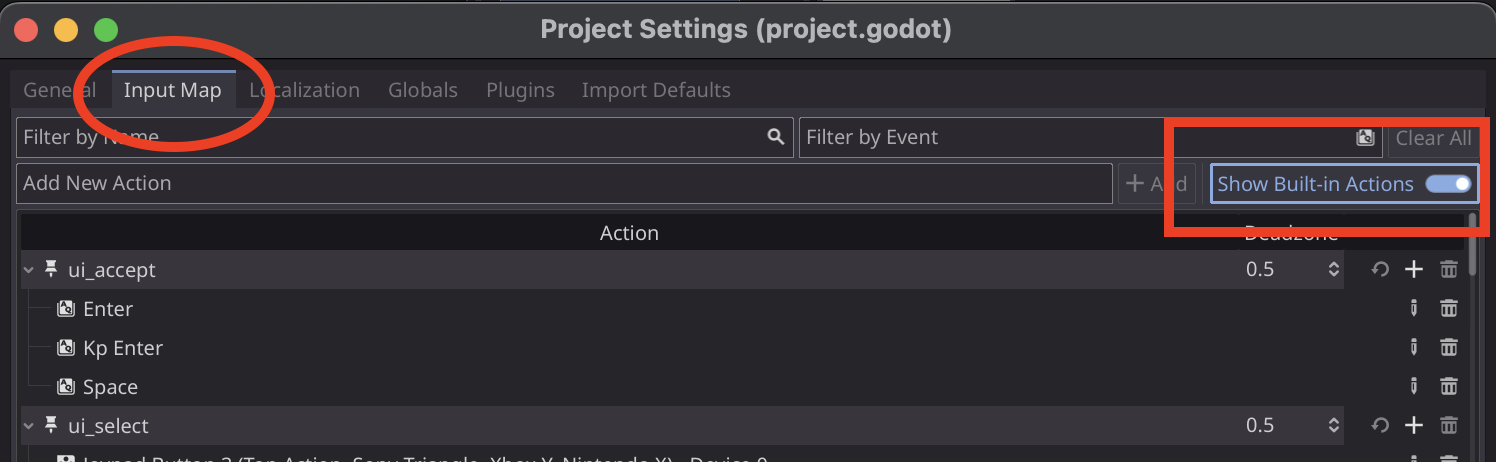
-
create an action
- type in the name of the action in Add New Action
- click +Add
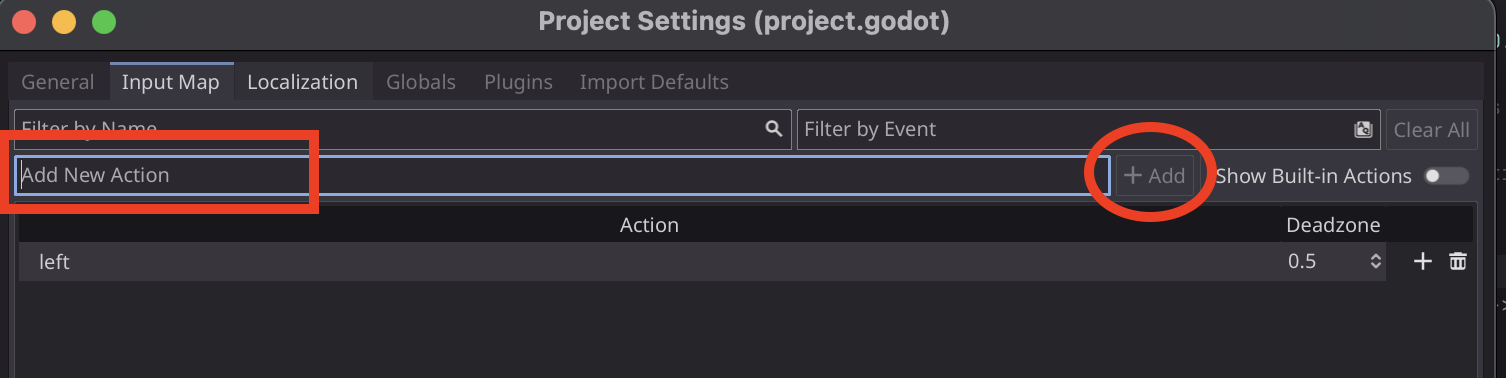
-
assign a key
- select the action
- click the '+' button to the right
- type or select the appropriate key
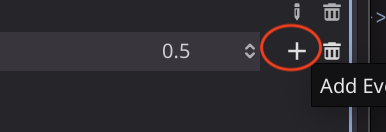
detecting the input
-
we use these:
- Input.is_action_just_pressed
- Input.is_action_just_released
- Input.is_action_pressed
- just_pressed detects only the initial press of the button. a lot of times you hit the button and the computer will detect it multiple times.
- so make sure you DO NOT use just_pressed, use action_pressed!
get axis
instead of using if statements, you can use Input.get_axis
this takes two actions, and determines if they are both pressed at the same time, or if only 1 is pressed
Input.get_axis("left", "right") will return a value of -1, 0, 1