
3.5 KiB
3.5 KiB
Section 02 - Lessons 08a | Creating an Account
- Links
- Notes
Links
Notes
Create a Facebook Page
- login to account
- http://www.facebook.com/pages/creation
initial steps
- select category
- enter description
- click 'create page'
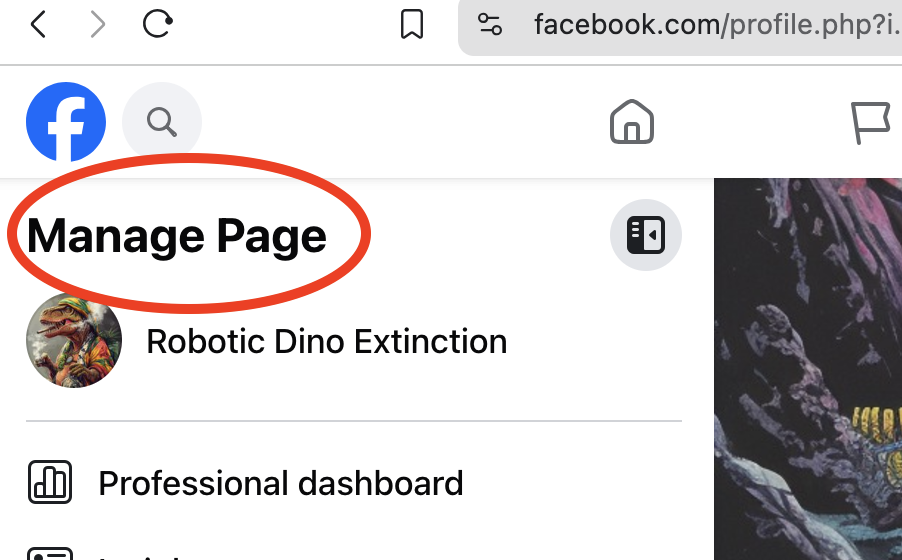
access main page
- to access you must switch profile to facebook page profile
-
in the upper right corner it will say "Manage Page"
fill out everything
- the more complete the better
-
specifically fill out
- Edit Bio
- Edit Details
-
bio and details are used for searching
- the bio is the Meta description in google search
- include common phrases and keywords that customers would use to search
about page
-
fill out all relevant fields for brand
- category
- business address
- phone
Customize Facebook Page username
- format will be like www.facebook.com/your-chosen-username
- can only be done once, otherwise you have to make a request
create an account on instagram
- you can only have 5 instagram accounts at a time
- same username
- bio
-
emoji bulleted list of value propositions for brand
- last line should be a call to action for instagram profile website link
create a business account on instagram
to switch profile to a business account (correct way)
-
click on the profile icon in the lower left column

-
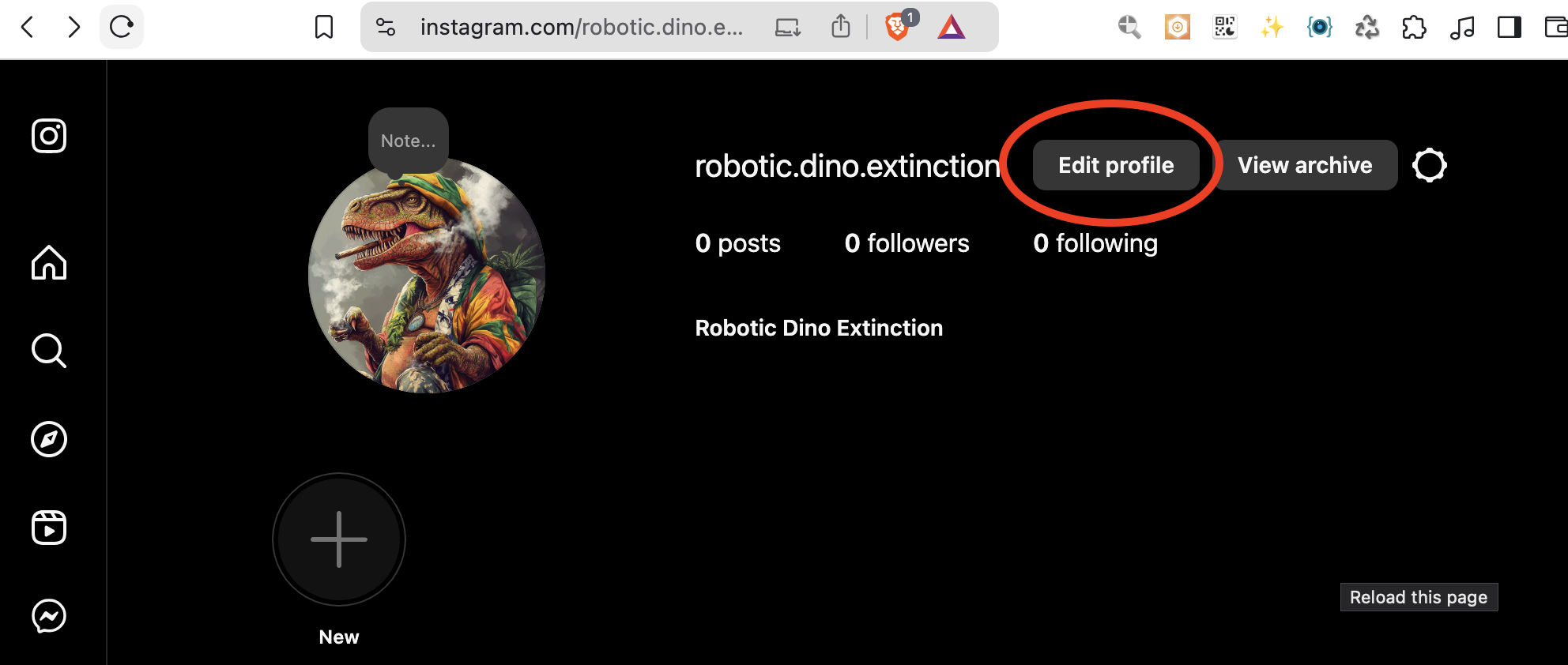
click on Edit Profile
-
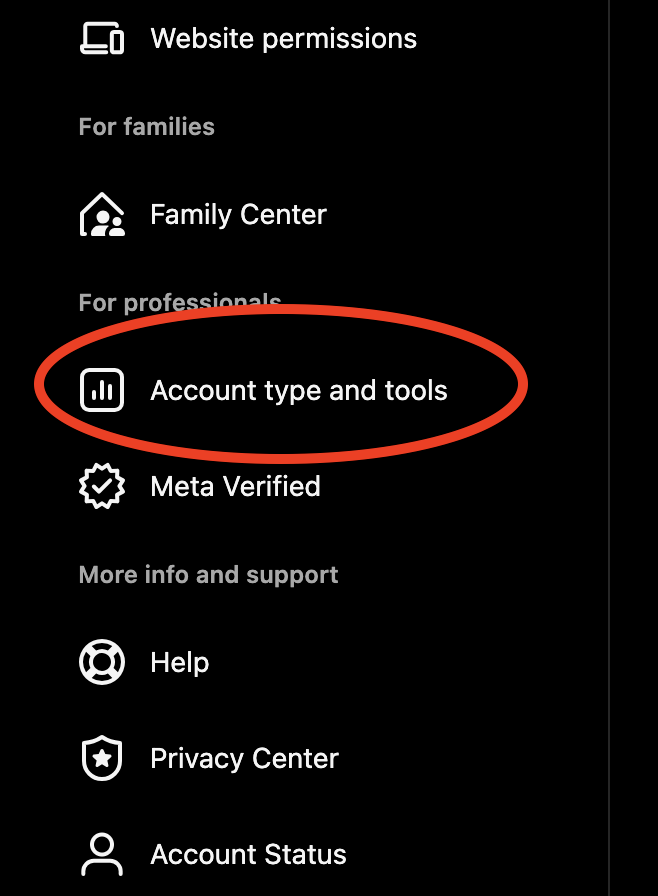
go to Account type and Tools
-
click on Switch to professional account
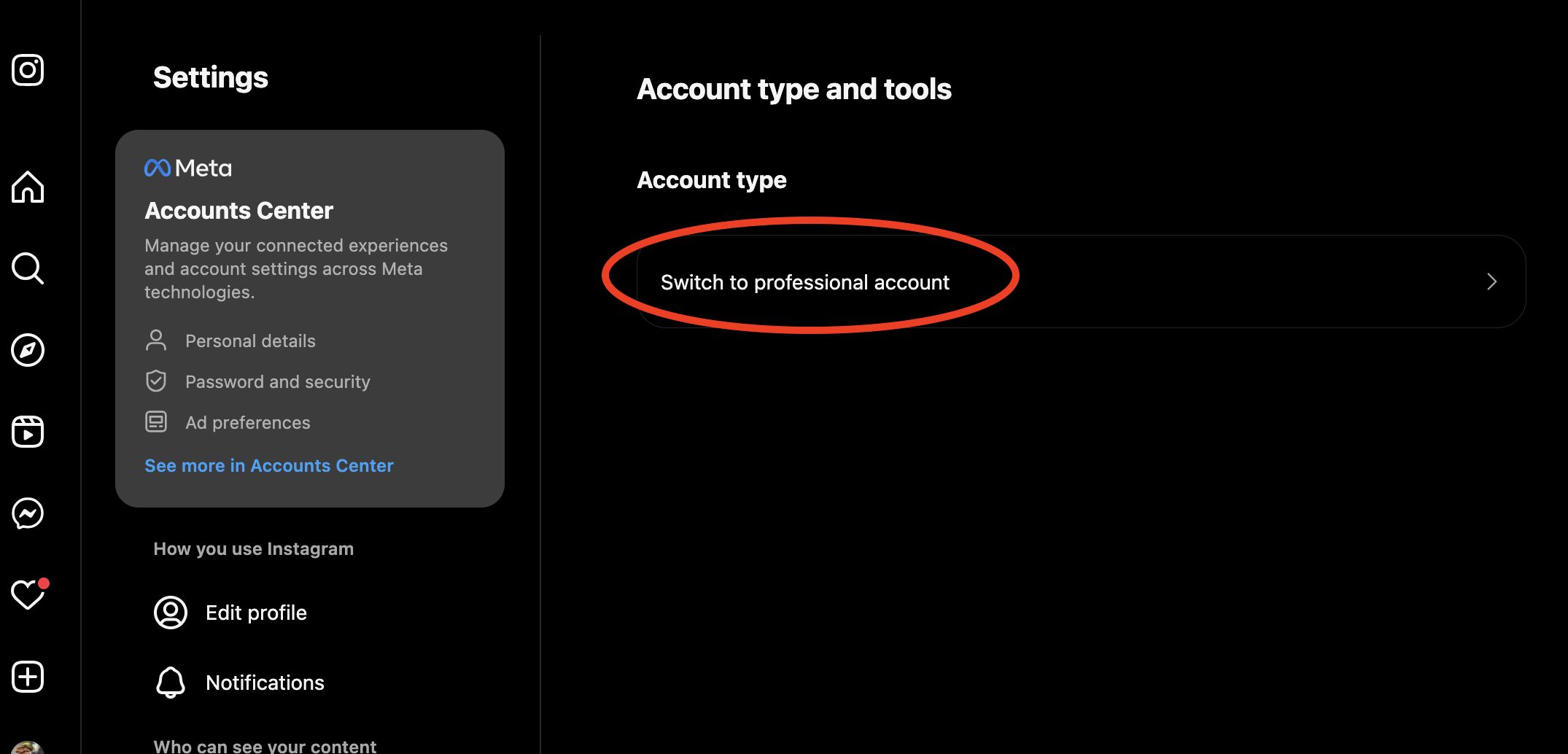
- Choose from either Creator or Business
- select a category for your business and tap Done
old and incorrect way that doesn't work
- go to profile and tap the three bars in the upper right corner
-
tap Settings
- some accounts will have Switch to Professional Account option directly under Settings
- tap Account
- tap Switch to Professional Account
- tap Continue
- select a category for your business and tap Done
Link Facebook Page to Instagram account
benefits
- run instagram ads
- respond to instagram comments and messages via Meta Business Suite Inbox
how to connect
- Go to Facebook Page
-
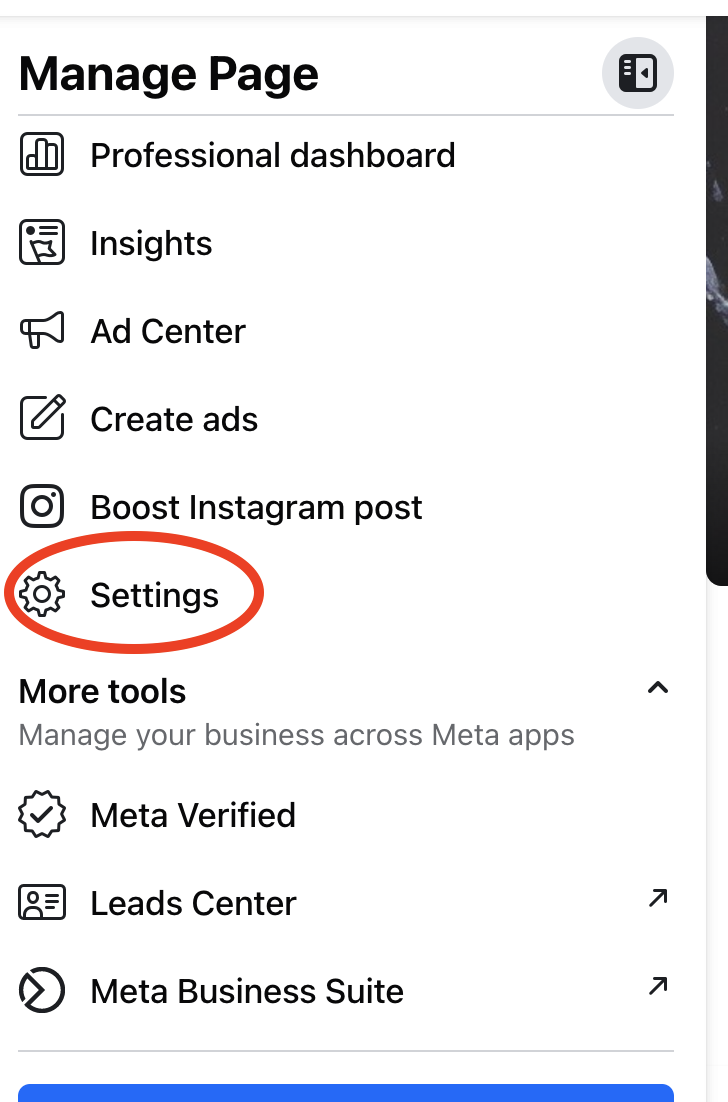
Click Settings in left on Manage Page menu
-
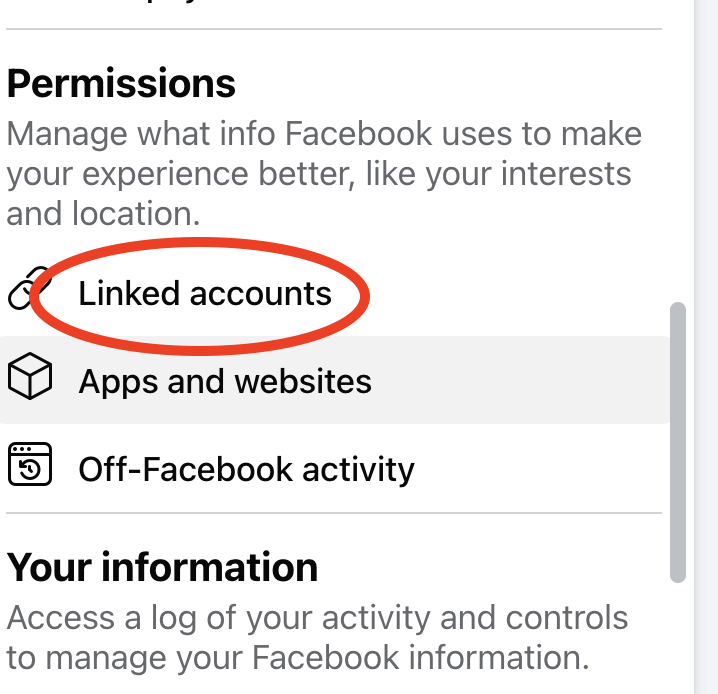
Click Linked accounts in left menu
-
log into instagram account
- if your account isn't already professional instagram will change it and you will have to go through the process of choosing the professional attributes
- See also: How to create a business account on Instagram