
1.9 KiB
1.9 KiB
Section 03 - Lesson 13, 14 | Spawn Timer, Spawning gems
Notes
removing connected nodes
- nodes that are connected must be disconnected before deletion
- otherwise strange things happen
Timing
- add a child node
- search for Timer
properties
- autostart: whether it starts as soon as scene is ready in tree
- one shot: time once and stop
- wait time: the actual time it goes
signals
-
timeout
- got to Inspector->Node
- timeout emits a signal when the wait time hits zero
Spawning Gems
Put the following in the script that you want to create nodes in based on a scene:
@export var gem_scene: PackedSceneterms
-
@export- makes the variable accessible and modifiable from the Godot editor
-
allows assigning variables through the interface
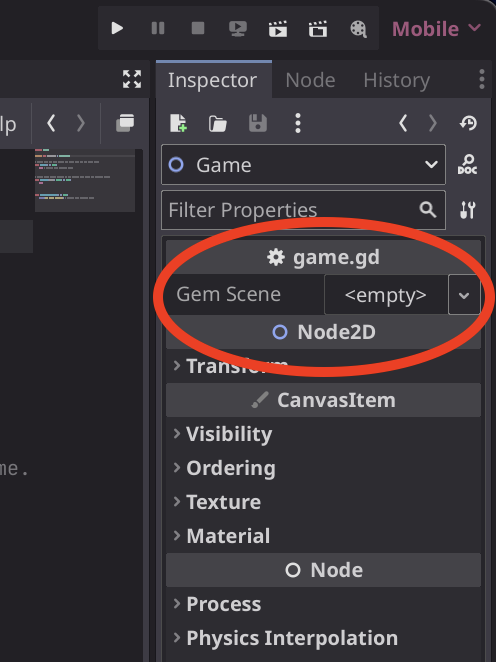
-
PackedScene- resource that holds a scene in a packed, ready to load state
what it does
allows us to create instances of the scene
- drag a scene into the property in the inspector
- call instance
func spawn_gem() -> void:
	var gem_instance = gem_scene.instance()
	add_child(gem_instance)
how to explicitly assign the type of a custom script
-
in the script near the top type in
class_name CustomName -
then override on assigning the value
var new_gem: CustomName = gem_scene.instantiate()